
A monitor light bar is a small lamp that clips to the top of your screen and lights the desk in front of it. It can replace a desk lamp and takes up no desk space at all. Here is what separates one bar from another.
Front light, back light, or both
The front light is an angled LED strip that throws light down onto the keyboard and away from the screen, so it does not reflect off it. Some bars stop there. Others add an RGB strip on the back that lights the wall behind the monitor, so one device gives you both task light and colour.
If the bar is mainly for working or reading notes at night, a plain white bar is enough.

YEELIGHT Monitor Light Bar for Gaming
This monitor light bar enhances your workspace while protecting your eyes from glare and strain.
Product information
Product Review Score
4.31 out of 5 stars
(190 reviews)Product links

SAMPHON Monitor Light Bar for Gaming
This light bar provides even and adjustable lighting for your home office or gaming setup.
Product information
Product Review Score
4.79 out of 5 stars
(134 reviews)Product links
If you also want colour behind the screen, pick a bar with an RGB backlight.

LYMAX RGB Monitor Light Bar with Modes
Enhance your workspace with adjustable RGB lighting and a sleek design.
Product information
Product Review Score
4.21 out of 5 stars
(107 reviews)Product links
Flat or curved screen
Standard clips sit on the top edge of a flat monitor. On a curved screen, a straight bar touches only part of the edge and can tilt. Bars made for curved monitors are shaped or mounted to suit, so check before you order if your monitor is curved.

Geisofu Curved RGB Monitor Light Bar
Enhance your gaming and movie experience with vibrant RGB backlighting.
Product information
Product Review Score
4.1 out of 5 stars
(92 reviews)Product links

ONWAY Curved Monitor Light Bar with RGB
Enjoy customizable lighting and easy control with this innovative curved monitor light bar.
Product information
Product Review Score
4.5 out of 5 stars
(140 reviews)Product links
Controls
Touch controls on the bar are fine if the monitor is close. On a deep desk, or if you change the light often, a wireless remote that sits on the desk is much easier to use. The Quntis and ONWAY bars both come with one, and the YEELIGHT comes in a version with a remote too.

Quntis Monitor Light Bar with Remote Control
This monitor light bar brightens your workspace without glare on screens.
Product information
Product Review Score
4.91 out of 5 stars
(204 reviews)Product links
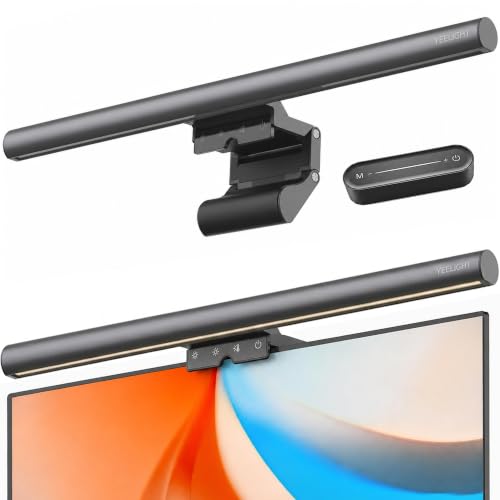
YEELIGHT Monitor Light Bar with Remote
Transform your workspace with the YEELIGHT Monitor Light Bar for ultimate eye care.
Product information
Product Review Score
4.96 out of 5 stars
(70 reviews)Product links
Colour temperature and dimming
Look for adjustable colour temperature, from warm white to cool white, and dimming. Warm light feels softer late at night, while cool light suits daytime work. Auto-dimming models, like the Quntis, adjust their brightness to the light in the room.
Power
Almost every light bar runs from USB. A spare port on the monitor is the tidiest option, since the cable stays short. On some monitors those ports switch off with the screen, so the bar goes off when you do.
See the full range of monitor light bars, or light the wall instead with a monitor backlight.


